Web (gd.games)
Creating a private web link
Using GDevelop hosting servers, you can export your game for publication on the web. These servers are backed by Amazon's robust services. Sharing your game this way is free, and your game will be available through this link indefinitely!
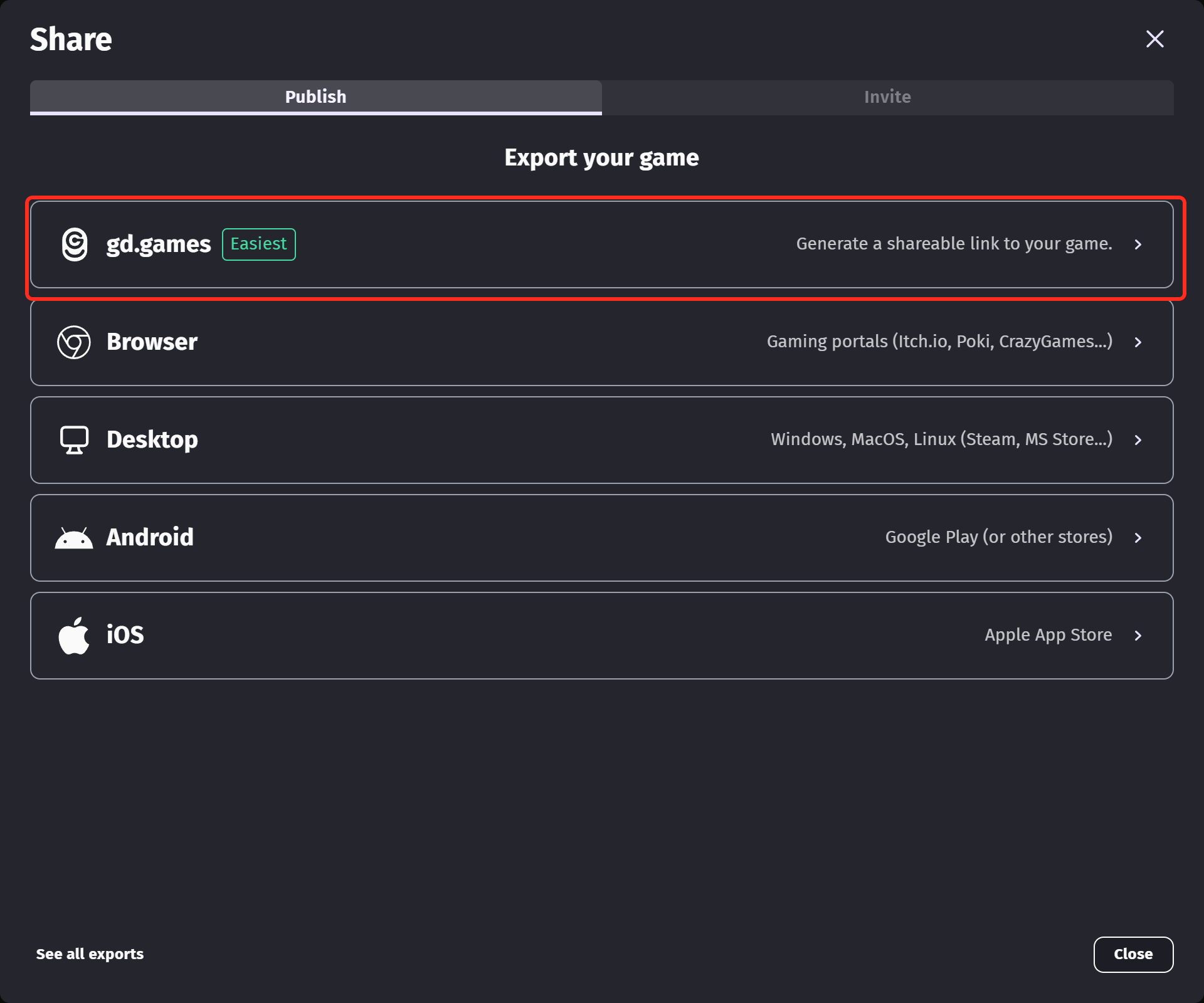
First make sure you have logged in within GDevelop. To upload to the servers, click the Share button at the top of the editor, then pick gd.games in the list of exports.
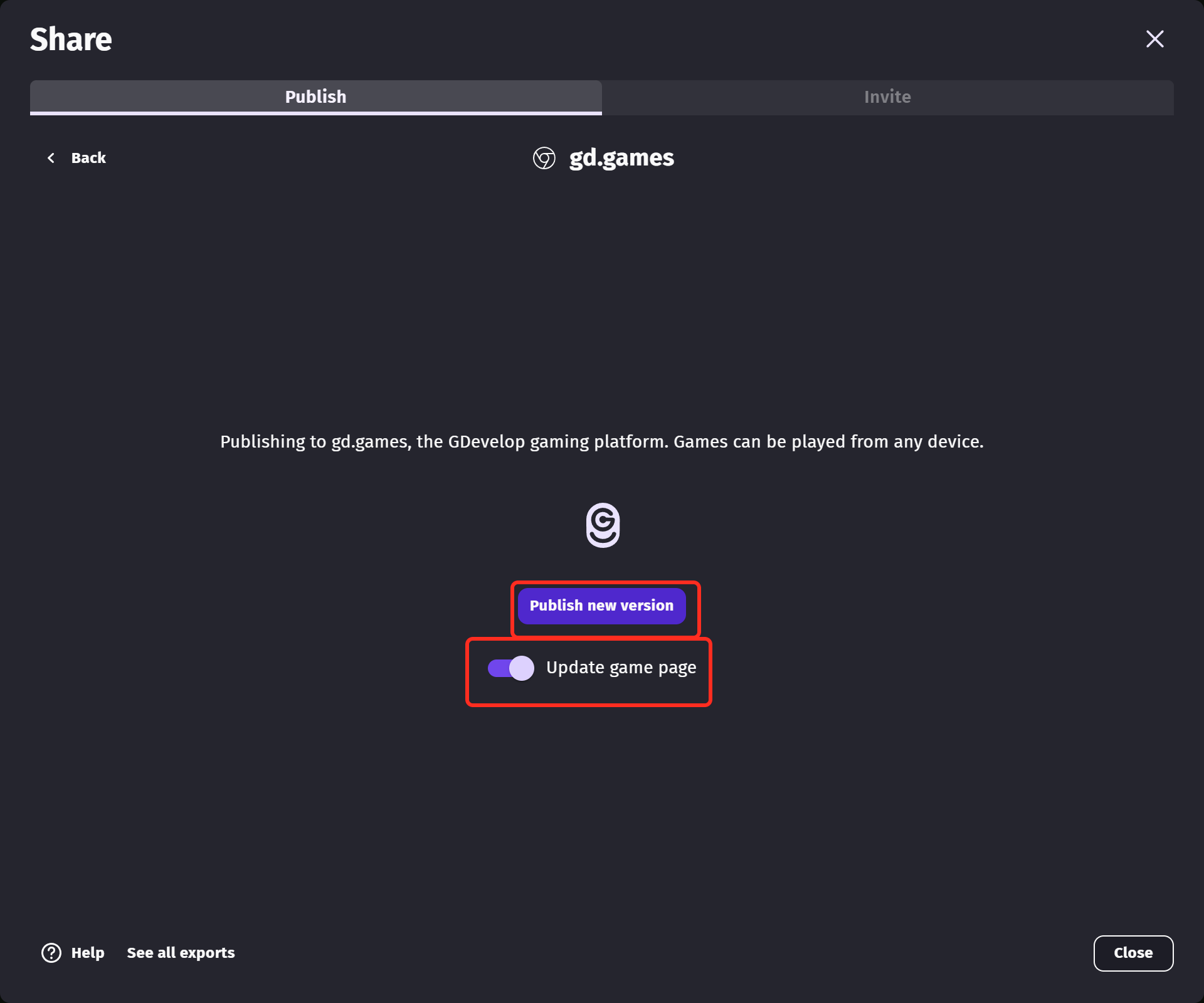
Click Publish new version to build your game and send it to the servers. If you only want a link to share privately, turn Update game page off before publishing: your game is uploaded and you get a link for it, while the public page on gd.games keeps the version that is already online.
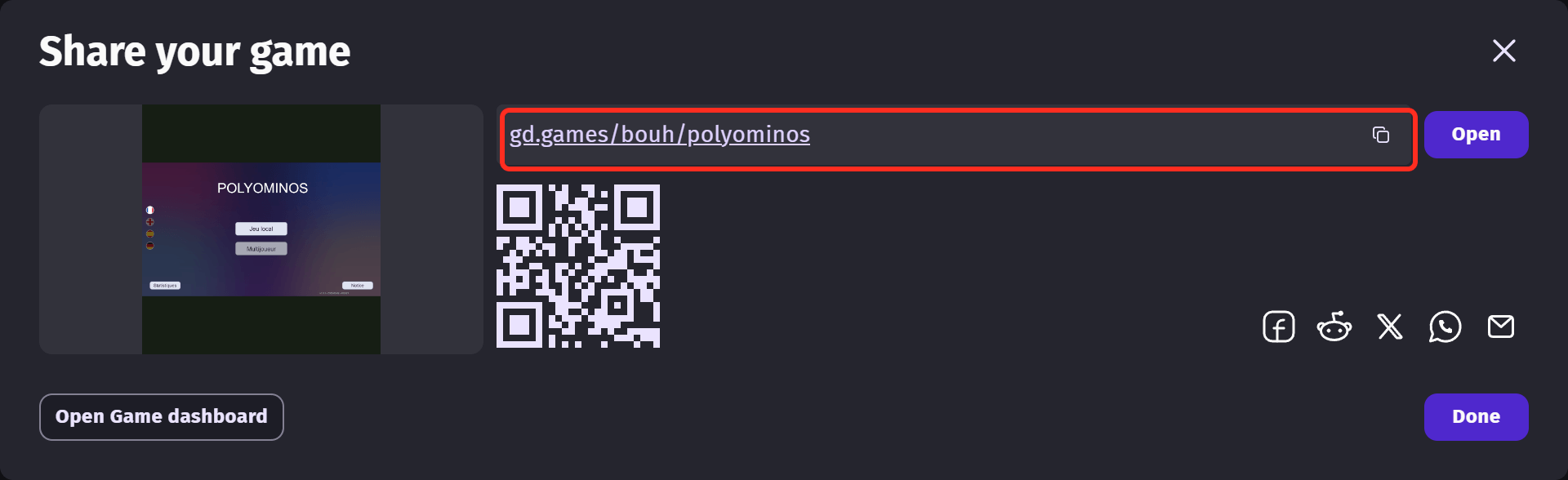
When the upload is finished, the link to your game is displayed on screen. You can copy it, scan the QR code to open the game on a phone, or send it through social networks. Anyone with the link can play your game, so share it with the people you want to test it.
Publishing on gd.games
gd.games is GDevelop's game hosting platform, where free games created with GDevelop can be shared and played. When Update game page is on, the version you publish becomes the one played on your game page, and the game is listed on the platform.
Tip
Games published can be promoted on gd.games homepage, checkout the Marketing Campaigns!
Every game you publish is followed on its own dashboard, which you reach with Open Game dashboard right after an export, or from the project manager under Game settings. It gathers the link to your game, its player analytics and the feedback you receive.
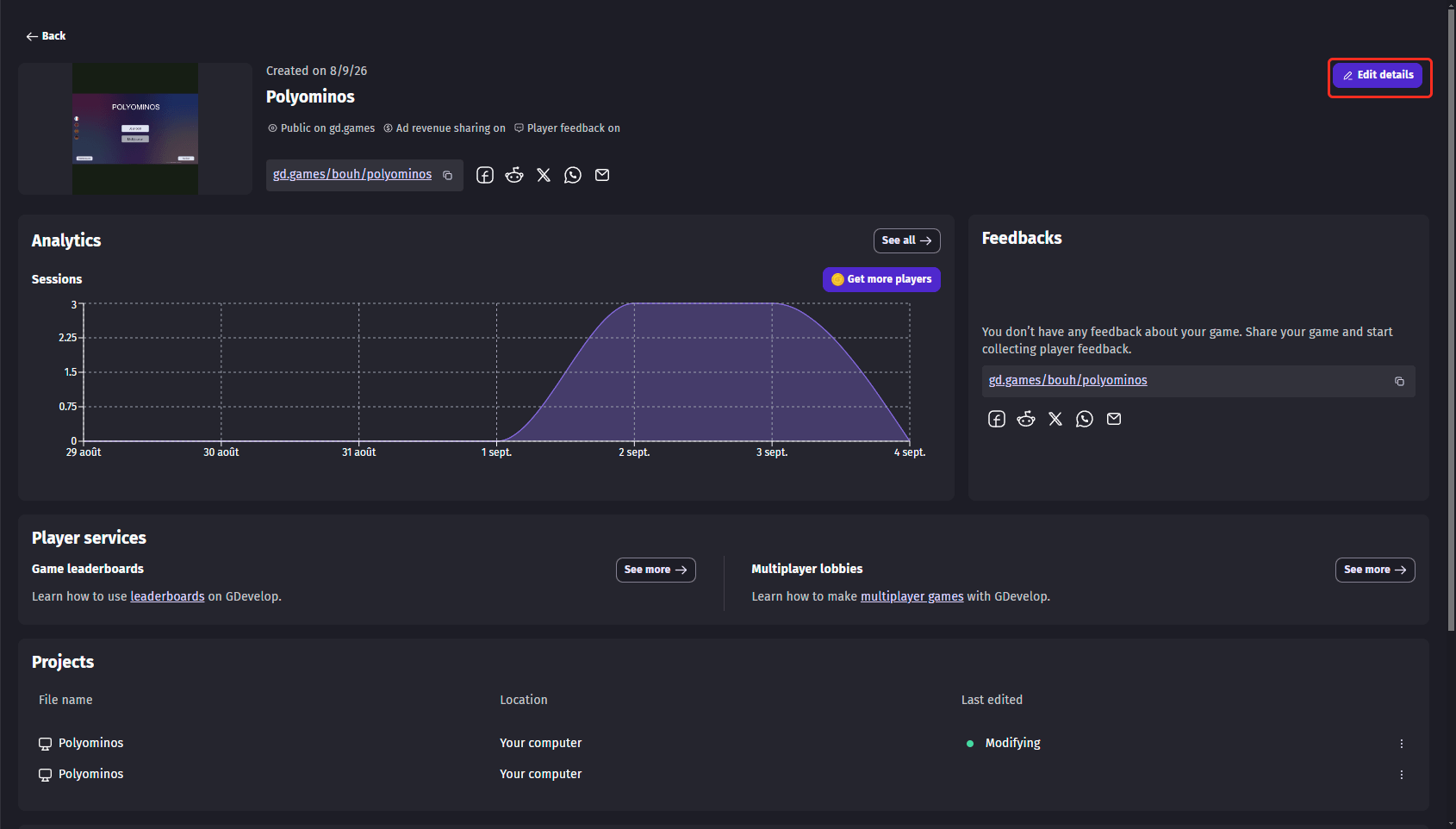
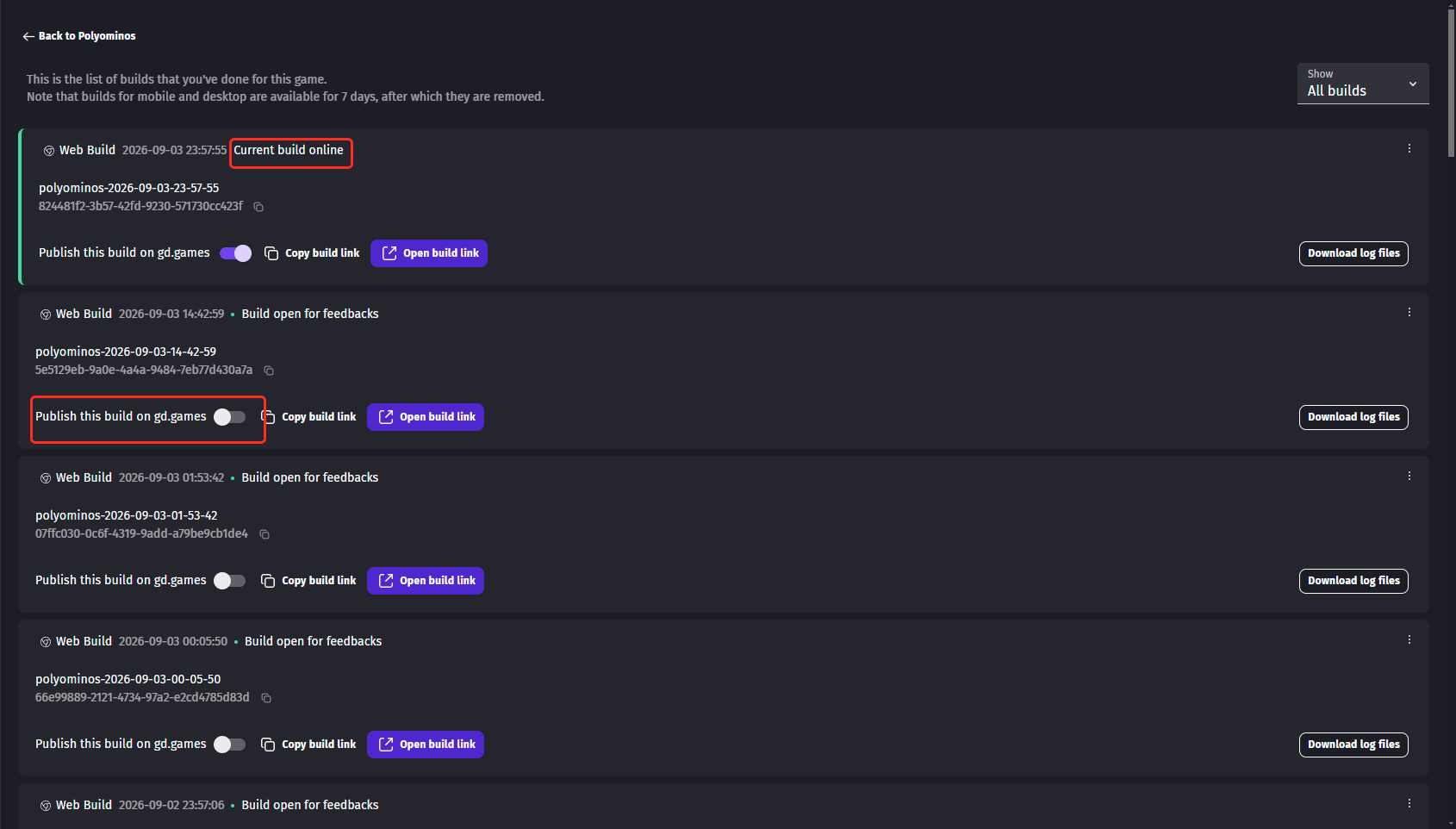
Each upload creates a build, and the dashboard lists all of them under Exports. The build currently played on your game page is marked as online: to put another one back in front of your players, turn on Publish this build on gd.games on the build of your choice.
Taking your game off gd.games
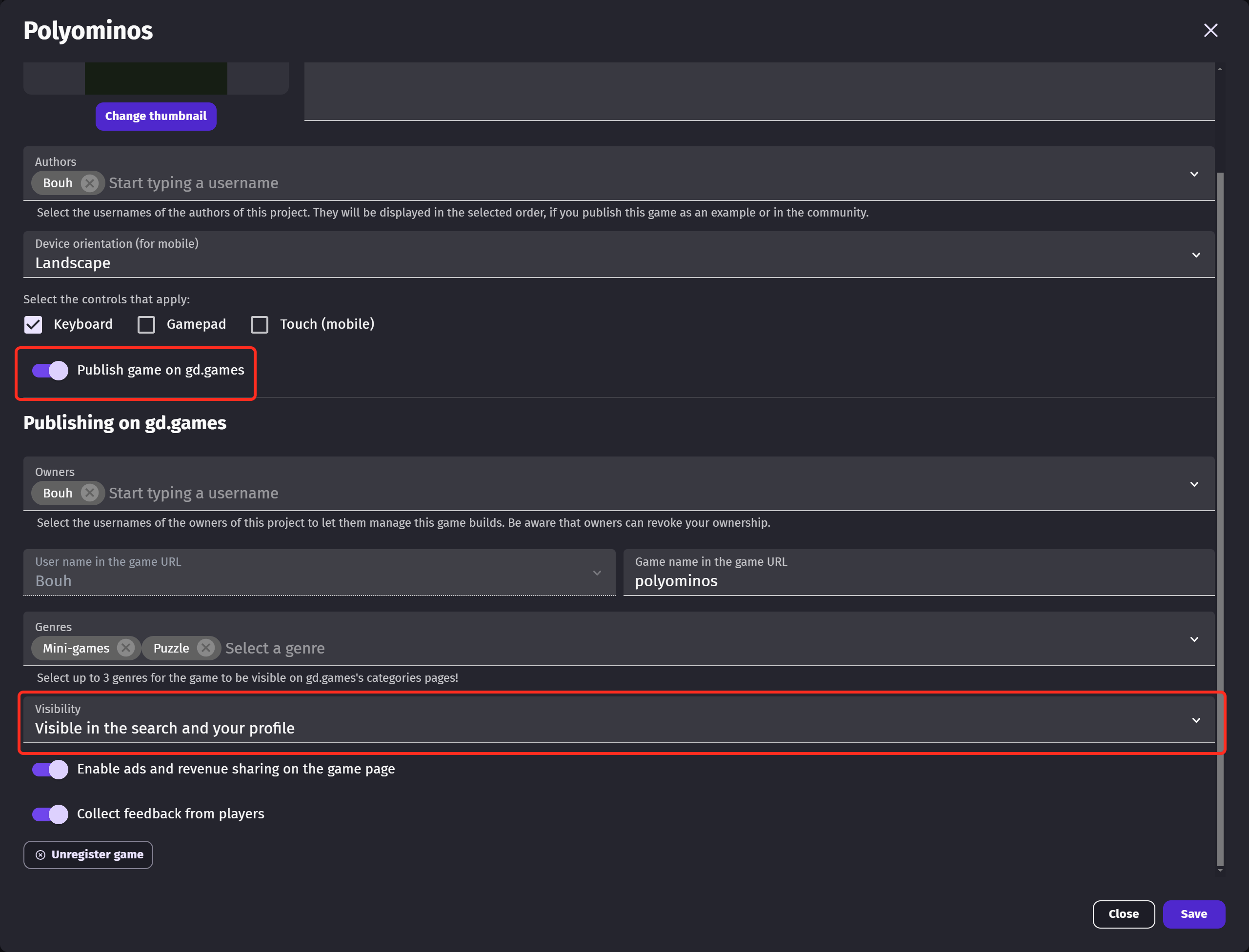
If you want to take your game off of gd.games for any reason, open Edit details from the game dashboard and turn Publish game on gd.games off. Your builds and your analytics are kept, only the public page disappears.
The Visibility setting is a middle ground: your game page stays online for the people who have the link, but the game is no longer displayed in the search results nor on your profile.
Export to other platforms (iOS, Android, Windows, macOS, Linux)
See the other export options to learn how to publish your game on other platforms!
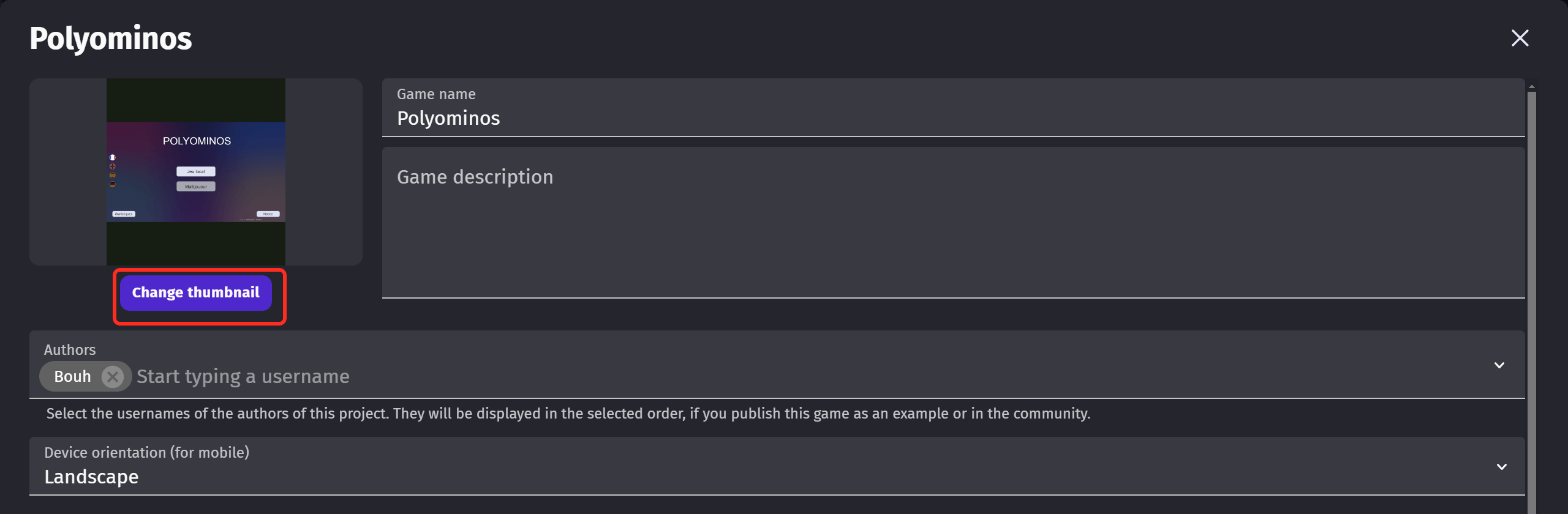
Setup a thumbnail for gd.games
A 16:9 ratio thumbnail is highly recommended to your game on gd.games, the game will be more attractive.
To set up the thumbnail, open Edit details from the game dashboard and click on Change thumbnail. It is also the place where you write the name and the description shown to the players on your game page.